
Using Raysly with Wix
What Raysly does once your Wix site is connected: Wix Stores product sync, the Get instant offer form on your pages, leads, privacy and consent, and removing the app.
Last updated
This guide is for installers who have already connected a Wix site to Raysly. If you have not, start with Install Raysly on Wix.
The "Get instant offer" form gives your visitors a tailored solar offer in minutes, and every enquiry lands in your Raysly lead pipeline, ready to follow up.
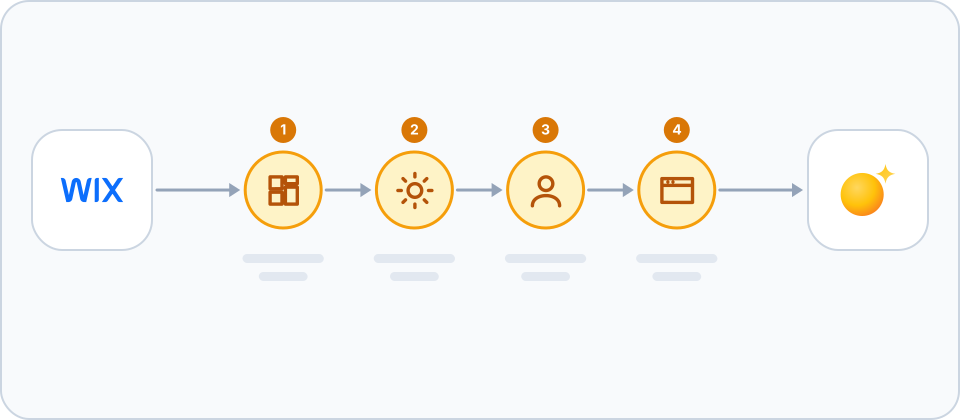
What Raysly does for your site
- Catalogue sync: Raysly imports your Wix Stores products, prices and stock (read only) and keeps them up to date. No Wix Stores? Nothing is imported and the rest still works.
- Instant-offer form: when your site address is on the widget list, Raysly adds the form to your Wix pages through an embedded script.
- Leads: what a visitor enters in the form lands in your Raysly pipeline (Leads).
What stays on Wix
Your Wix site, Wix Stores products and checkout stay on Wix. Raysly does not import order history, and invoicing pass-through stays off during the beta.
Manage the connection
Open Settings → Integrations and find the Wix card. Owners and admins can see the connection status, run a sync and change what Raysly does for the site.
- Catalogue sync is on by default. When off, Raysly stops scheduled syncs; "Sync now" still works.
- Invoicing stays on your shop (opt-in) is off by default and should stay off during the beta.
Change how the form looks
Open Settings → Website widget in Raysly and find the card called Look of the form. Changes apply to your Wix site without reinstalling anything.
- Look of the form: "Match my website" (the form takes your site font and accent colour), "My Raysly look" (the theme saved in Sites → Branding) or "Raysly look".
- Show the Raysly cookie notice: turn this off if your website already asks visitors for cookie consent. The form then collects no consent, so Raysly analytics stay off.
- Menu link: Wix does not get an automatic menu entry. Link your own menu to the Raysly-hosted page shown on that card (in Wix: Menus & Pages, then add a link).
Privacy and consent
- The widget is a Raysly form shown on your pages. It collects what a visitor chooses to enter to get an offer (such as contact and property details) and the address of the page it is on.
- You own the consent notices: list the Raysly widget in your cookie banner and privacy policy. Raysly does not apply a consent category on Wix, so manage the widget in your own consent tool.
- The widget never passes your analytics ids to the offer page unless the page sets data-consent="granted".
- Leads are stored in your own Raysly account for your team. You are the data controller; Raysly processes them on your behalf under its data processing agreement.
Disconnect or remove Raysly
- To disconnect from Raysly, use Disconnect on the Wix card. The dialog lets you also remove all synced products; if you do not tick it, imported products stay in your Raysly inventory.
- To remove the app from Wix, remove it in your Wix dashboard. Wix tells Raysly straight away: access is revoked, the stored tokens are deleted and syncing stops.
Frequently asked questions
My Wix products are not showing up. What should I check?
Open the Wix card in Settings → Integrations and use Sync now. If the site has no Wix Stores there is nothing to import; the offer form and lead capture still work.
Where can I get more help?
Still stuck? Email support@raysly.com and tell us the platform, what you clicked and what you saw.